
K-12 invoicing and payments software for damage recovery without the spreadsheet.
Generate damage invoices directly from an incident, deliver them to guardians through a branded parent portal, and accept online payment through the platform your district already uses. Every payment auto-reconciles back to the incident, no district staff middleman, no after-hours data entry.
From the damage to the charge
Charge from the incident, not from a spreadsheet.
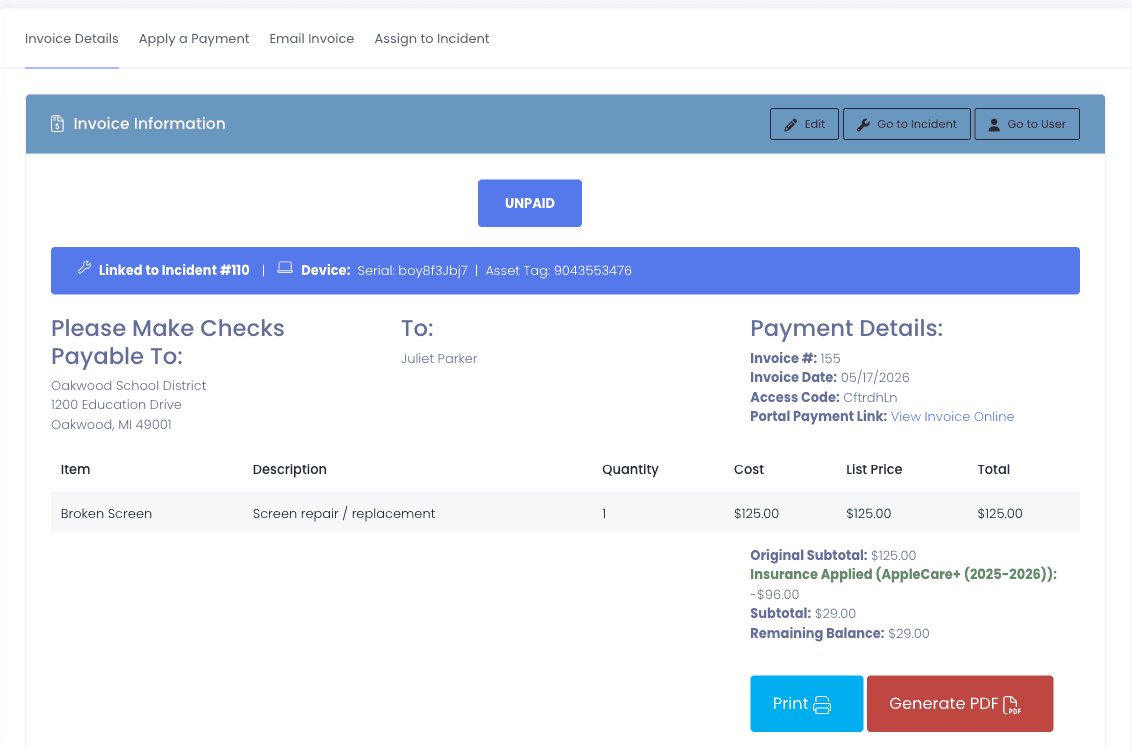
When a damage incident is logged, generate the family invoice straight from the incident record. The device serial, the line items, and the invoice number + access key are filled in for you, no copy-paste between systems, no end-of-month reconstruction.
- Create the invoice directly from the incident record
- Device + line items pre-populated from the incident
- Line items pulled from district-defined damage types (replacement charger, screen, etc.)
- Invoice number + access key auto-generated for parent sign-in
- Invoice always links back to the originating incident
- One incident covering several devices bills onto one invoice, with a line per device
- Insurance premiums bill the same way, assigning a policy creates a payable premium on the student account
- Pre-funded Repair Credits draw down before the family is billed, and restore automatically if a repair is voided
What the family sees
Parents pay without a phone call.
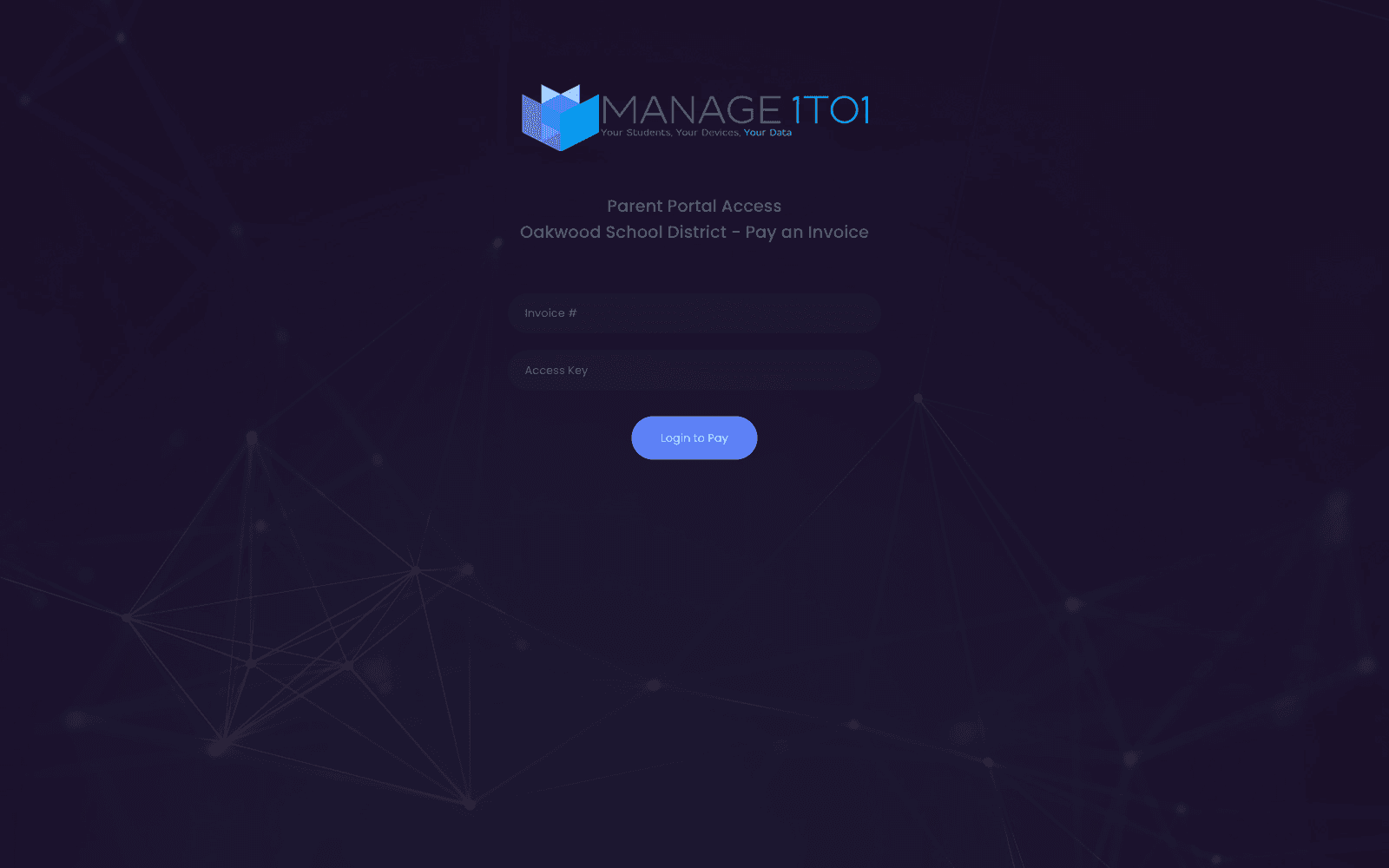
Families land on a branded Parent Portal sign-in scoped to your district. They enter the invoice number and access key from the email, no account creation, no password reset, no district staff intervention, review the charge, and pay online.
- Branded for your district, colors, logo, district name on sign-in
- Sign in with invoice number + access key (no account required)
- Mobile-friendly, parents pay from their phone
- Invoice references the linked incident, no separate context needed
- Payment runs through the platform your district already uses for athletics and lunch money, not a separate merchant account we ask you to open
- Nothing extra for the business office to reconcile at month end, the payment posts back against the invoice on its own
- Receipt + confirmation emailed automatically
- Families can settle outstanding fees and fines during the AUP enrollment step
Getting the bill in front of the family
An invoice nobody receives is not a bill. It is a spreadsheet entry.
Districts lose recovery in the gap between raising a charge and a family knowing about it. The mail goes out from a domain the family has never seen, lands in spam, and resurfaces three months later as a collections problem. Family email now sends itself at the moments that matter, from your district rather than from your vendor.
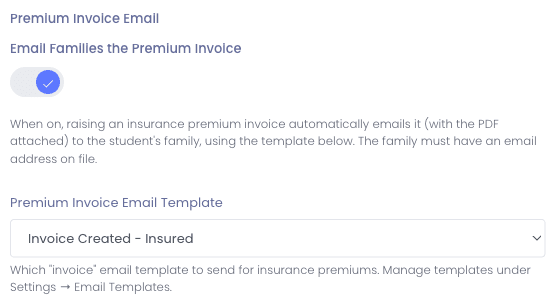
- Insurance premium invoices email themselves with the PDF attached, whether you assigned the policy by hand, a new student was auto-assigned, or you ran Bulk Enroll
- Premium email carries its own template, separate from your other invoice emails, so it can be worded specifically for insurance
- Payment confirmations go out automatically when an invoice is paid on any payment path, so the family has a receipt without asking for one
- Waived families can be sent a no-charge notice, so a free or reduced family knows they are covered rather than assuming they were forgotten
- Send from a verified subdomain of your own domain, with SPF, DKIM, and DMARC, by adding a short list of DNS records
- Because it uses a dedicated subdomain, nothing about your staff’s everyday email changes and no existing DNS record is touched
- Your delivery reputation becomes your own, so another district’s sending can never slow yours down
- Messages carry your district logo and drop our branding entirely
- Standards-compliant one-click unsubscribe, with a per-district opt-out the family email queue honors
- The queue paces volume per recipient domain, so a start-of-year invoice run reaches families instead of tripping a filter
- Every send is logged, so you can show exactly what went out and when
Was it ever paid?
Every invoice traceable from open to closed.
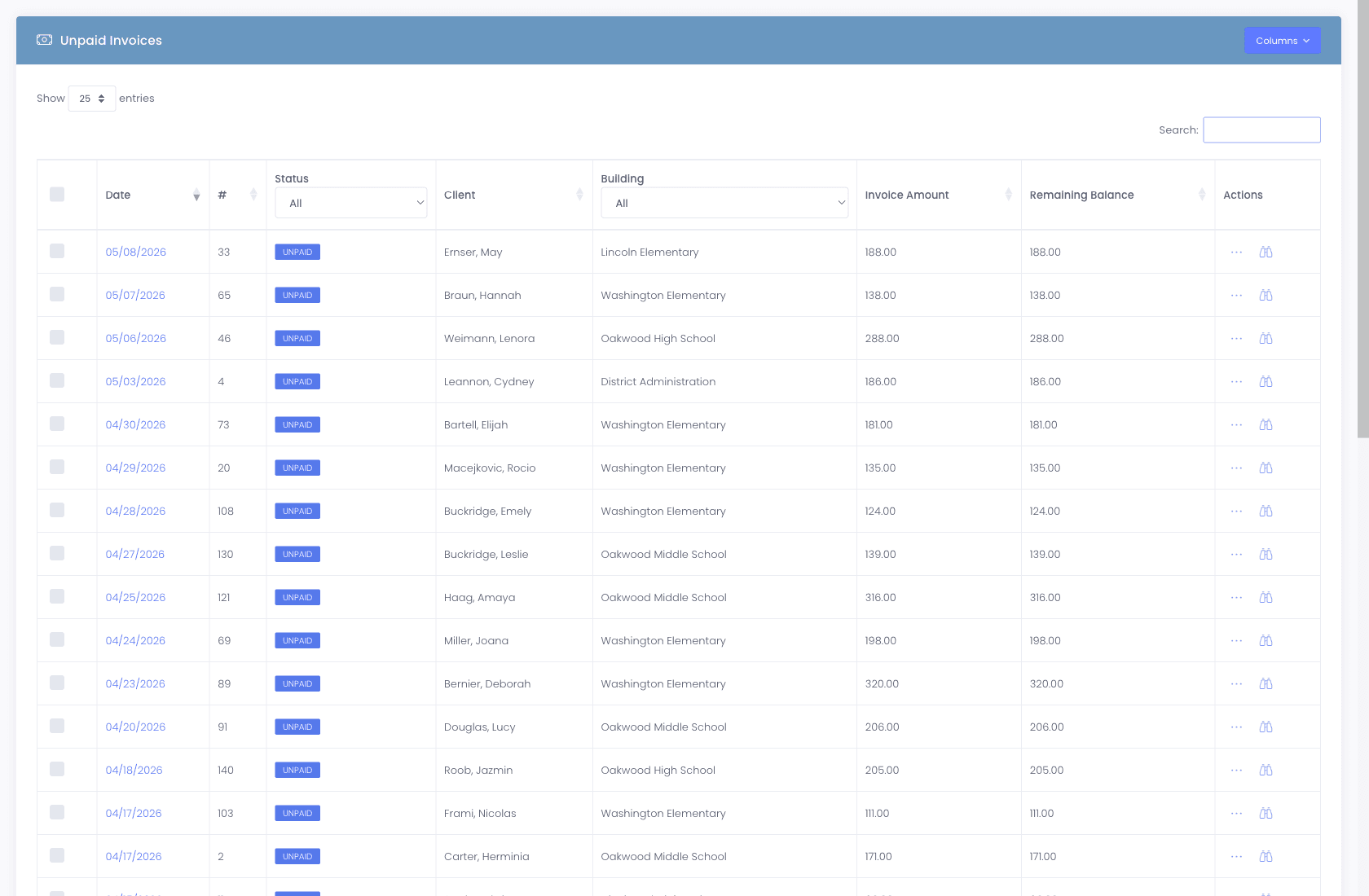
Status transitions are logged on the invoice and on the linked incident. Payments post back to the originating incident automatically, there's no spreadsheet tying things together at the end of the month.
- Status pills on every invoice, UNPAID, paid, partial, refunded, void
- Automatic reconciliation, payment posts to the linked incident
- Partial payments, pay $50 toward a $115 invoice, balance stays open
- Audit log of every status change with timestamp + admin
- Apply a payment, email the invoice, or assign to an incident, all from the same screen
- Your own custom fields on invoices, so the values your business office tracks live on the record rather than in a parallel sheet
- Bulk actions across many invoices at once, and long line-item descriptions that stay readable

When you forgive a fee
Mistakes happen. So does forgiving a fee.
A device was billed to the wrong family. A repair came in cheaper than expected. A principal decides this one gets forgiven. Our invoicing handles all three with proper records, not by deleting invoices and pretending it didn't happen.
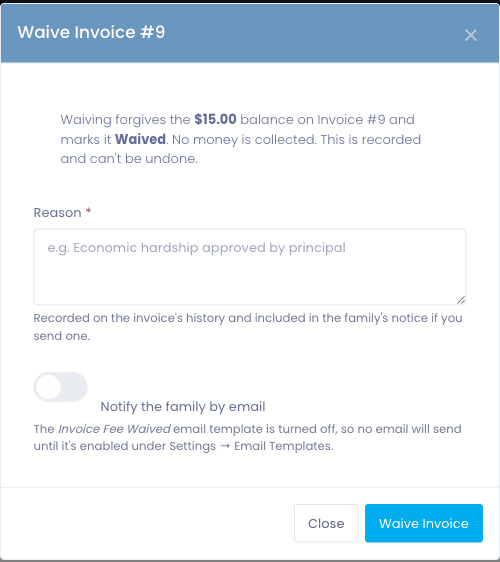
- Waive an invoice in one permission-gated action, it zeroes the balance and marks the invoice Waived
- Waived is its own resolution, distinct from a cash payment and from Cancelled, so your collections numbers stay honest
- A waiver captures the reason and can send the family its own Fee Waived notice
- Refund flows back through the original processor the family paid with
- Partial refunds supported, refund what was overcharged, keep the rest
- Adjustments without losing the original line items
- Audit trail preserves the original invoice + the change
- Refund reconciles back to the linked incident automatically
What you recovered
Collections, recovery, and aging, on demand.
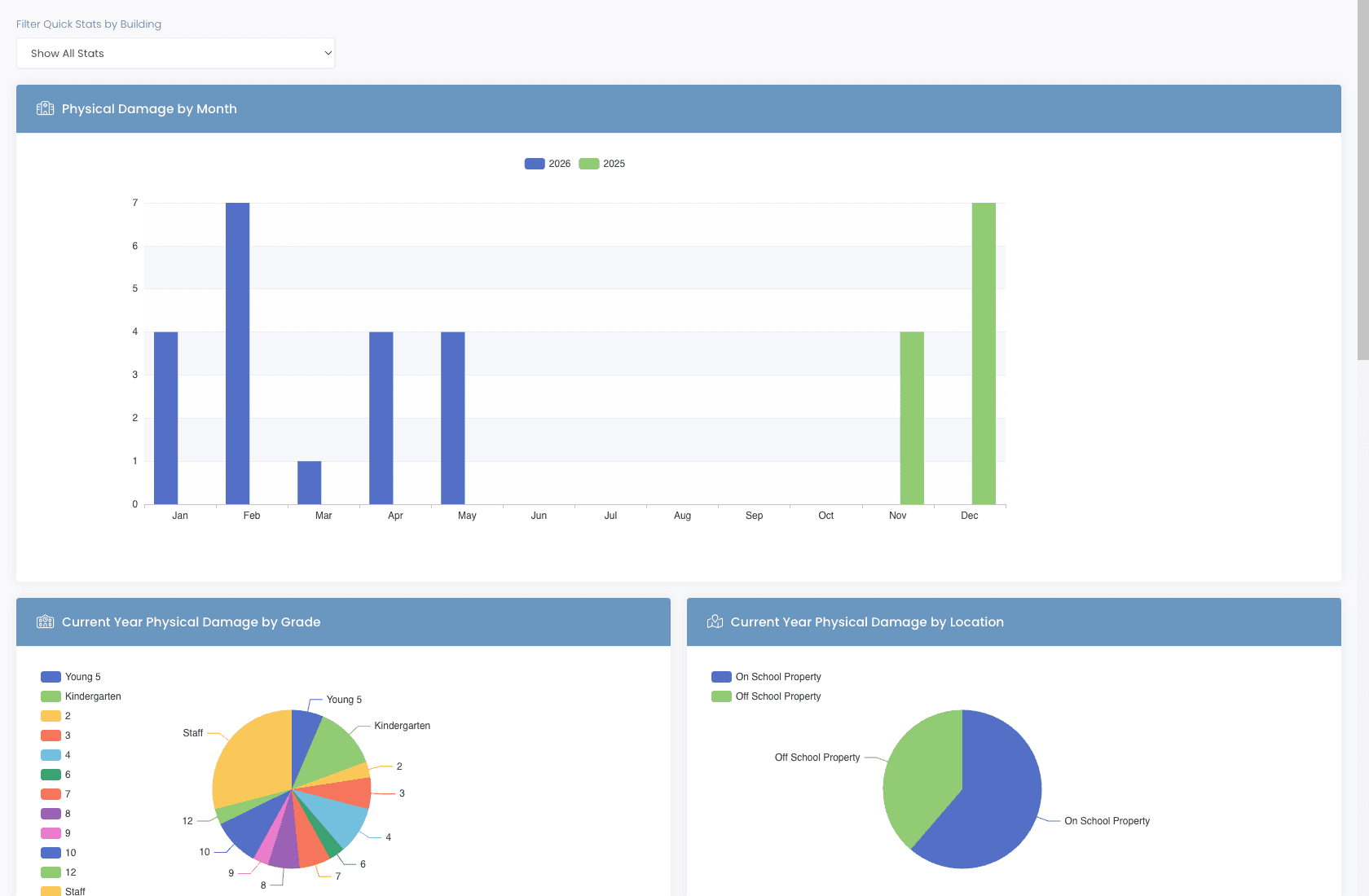
How much damage was billed last quarter? How much was collected? Which buildings have the highest unbilled rate? Which incident types have the best recovery rate? Every answer is one report away, and exportable for the board.
- Damage recovery rate by building, grade, model
- Total billed vs. collected vs. waived
- AR aging, 30 / 60 / 90 day buckets
- Per-family balance reports for collections workflow
- Bulk invoice PDFs generated by grade level, not just by date, status, or building
- Device Coverage report keyed on the device, alongside the user-based insurance report
- CSV exports for board reports and budget defense
Why schools choose Manage1to1
Built for K-12. Not retrofitted from enterprise IT.
Linked to incidents
Every invoice carries the incident reference, photo evidence, and device data, and the damage photos travel on the PDF itself, whether it was emailed, downloaded by an administrator, or produced in a bulk batch. No reconstruction of context at the end of the month.
No district staff middleman
Parents pay directly through the branded portal. Your tech team is not entering credit card numbers over the phone.
Reconciles automatically
Payment posts back to the incident. The spreadsheet that used to live in the business office goes away.
Audit trail preserved
Refunds and adjustments preserve the original invoice. You can prove what happened in any audit, every time.
Pre-funded repair credits
Load per-user balances that draw down before a family is ever billed, and restore automatically when a repair is voided. Grant-funded and loaner programs stop leaking to manual tracking.
FAQ
Common questions.
- Parents receive an email with the invoice number and an access key. They click through to a branded Parent Portal, sign in with those two values, review the charge and line items, and pay online via ConnexPoint or PayPal. No account creation, no password reset, no phone call to the district.
- ConnexPoint (formerly RevTrak from Vanco) and PayPal. ConnexPoint is the standard K-12 choice because most districts already use it for athletic fees, meal payments, and field trips, so families already have accounts. PayPal is the lighter option for districts without a Vanco agreement.
- No, and that is deliberate. Payment runs through the online payment platform your district already uses for athletics, meals, and registration, so families pay where they already have an account and the business office reconciles in one place instead of two. If you are not sure whether what you run today is a fit, tell us what it is and we will confirm before you commit rather than after.
- Nothing. Per-transaction processing fees are handled by ConnexPoint or PayPal under your existing agreement. Manage1to1's pricing is per-student per year, invoicing is included at every tier with no payment-volume surcharge.
- Repair credits are pre-funded per-user balances that draw down before family billing. When a device repair is charged, an available credit is applied first, so the family only sees a bill for the remainder. If the repair is later voided, the credit is restored automatically. It is how grant-funded and loaner programs cover repairs without hand-tracking who has money left.
- Yes. Waive is a first-class action gated behind its own permission. It zeroes the balance, marks the invoice Waived, captures the reason, and can send the family a Fee Waived email. Waived is deliberately distinct from both a payment and a cancellation, so a waived fee never inflates what you report as collected. The original invoice and line items stay intact for the audit.
- Only if you want them to. Students carrying the economically disadvantaged flag from your SIS can be waived automatically, before any charge is created, so no invoice ever reaches the family. That is different from billing and refunding, which is how most districts handle it today and which reliably produces awkward phone calls. The flag comes across through OneRoster metadata mapping and refreshes on the nightly sync.
- Yes. By default family mail goes out from a domain shared across districts, which works with nothing to configure but pools your delivery reputation with everyone else on it. Point it at a verified subdomain of your own domain instead, something like mail.yourdistrict.org, and your district builds its own reputation in isolation. Setup is a short list of DNS records your IT team adds; because it is a dedicated subdomain, none of your existing records change and your staff’s everyday email is untouched. Once verified, messages go out from your address, carry your district logo, drop our branding, and include a standards-compliant one-click unsubscribe.
- Yes, automatically, on every payment path. When an invoice is paid, a payment confirmation goes to the family so they have a record without calling the office to ask for one. Every send is logged, so if a family says they never received it you can check rather than guess.
- That is the specific failure the family email queue is built to avoid. Sending is paced per recipient domain rather than dumped all at once, so a few thousand invoices going to the same handful of mail providers arrive at a rate those providers accept. Sending from your own verified domain with SPF, DKIM, and DMARC in place helps further, because the mail is authenticated as yours and the reputation it builds is your district’s rather than a shared one.
- Yes. Refunds flow back through the same payment processor that took the original payment, with reason codes and audit trail. Partial refunds are supported. The original invoice is preserved (not deleted) so the audit trail shows exactly what happened.
- Voiding is a status change, not a deletion. The invoice stays in the system with the void reason and timestamp, the linked incident shows the reversal, and any payment received gets refunded through the original processor. You can prove what happened to any auditor.
- Yes. Partial payments are supported natively, a family can pay $50 toward a $115 invoice and the remaining balance stays open until cleared. For structured payment plans (auto-charge on a recurring schedule), districts typically wire that up through the recurring-billing features on the processor side (ConnexPoint or PayPal).
See it in action
Stop chasing payments. Run the workflow.
Request a free demo and see the full incident-to-invoice flow end-to-end, damage report, branded parent portal, online payment, automatic reconciliation, with real product data.
- Quote tailored to your enrollment + SLA tier
- Migration plan from your current help-desk / asset tool
- Integration map for your MDM, SIS, and payment processor
- Honest answers, our team is all former K-12, we know what the product does and doesn’t do
Prefer the shared demo first? Try it at manage1to1.com/demo.