
Help desk software for schools, with tickets that route themselves.
The tickets are not the problem. The problem is the twenty minutes every morning deciding who takes what, the teacher who emails a technician directly because she knows him, and the Chromebook nobody can identify from a message that just says the laptop is broken. Tickets arrive from email or the portal, route themselves to the right queue, and land already linked to the device and its full history.
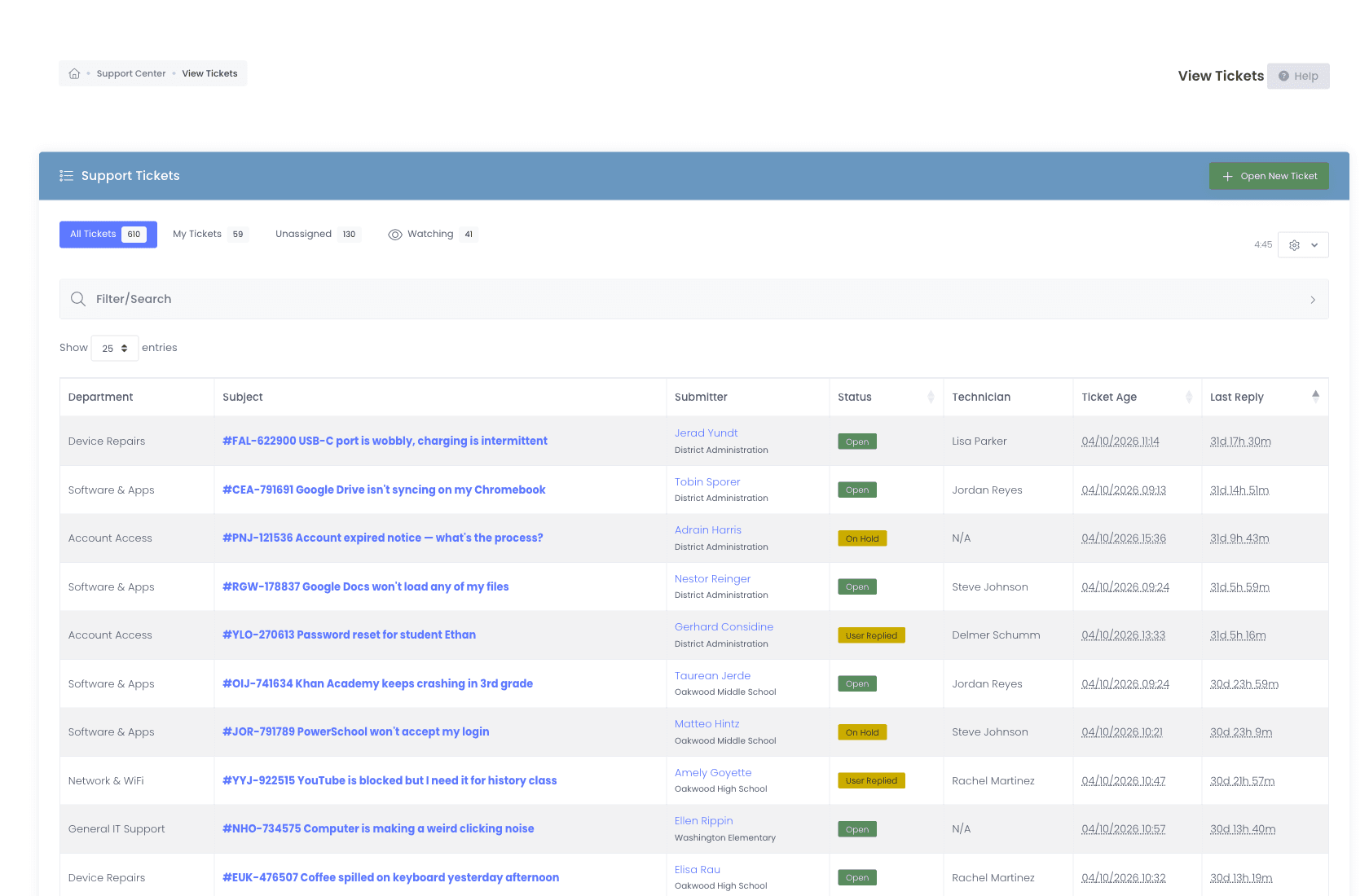
The daily triage
Nobody should spend their morning deciding who takes what.
Most districts run triage by hand. Somebody opens the queue, reads each new ticket, and assigns it. That is an hour a day of your most experienced person doing clerical work, and it stops entirely the week they are on leave. Workflows encode the routing your team already does in its head, built visually in the browser, with no consultant and no professional services line on the quote.
- Visual condition builder with nested AND / OR groups
- Assign, escalate, watch, status-change, notify, internal-note, wait-and-chain actions
- Round-robin assignment with per-admin vacation opt-out
- Route into nested sub-departments (IT → Networking → Wireless), each scoped to Students, Staff, Everyone, or Admin Only
- Business-hours and holiday calendars per district
- Time-based triggers for unanswered, stale, or unresolved tickets
- Test runner, preview any rule against a real ticket before activating
- Alerts reach more than an inbox, with chat among the available notification channels, and role-based alerts so the right role hears about the right event
- Run history with success / skipped / failed audit
- Smart Rules can open a real ticket on their own, so a device sitting offline for weeks raises one without anyone watching for it
- Recurring ticket templates open scheduled work daily, weekly, monthly, or annually, so summer maintenance and annual refresh never get forgotten
- Schedule-only rules run on a cadence with no device or incident to trigger them, for the standing tasks that should just happen on their own timetable
- Rules can add or remove an assignee, so a shared job picks up its second owner without anyone doing it by hand
- Possible duplicates and repeat issues surface on the ticket so a recurring problem gets linked or merged instead of worked twice
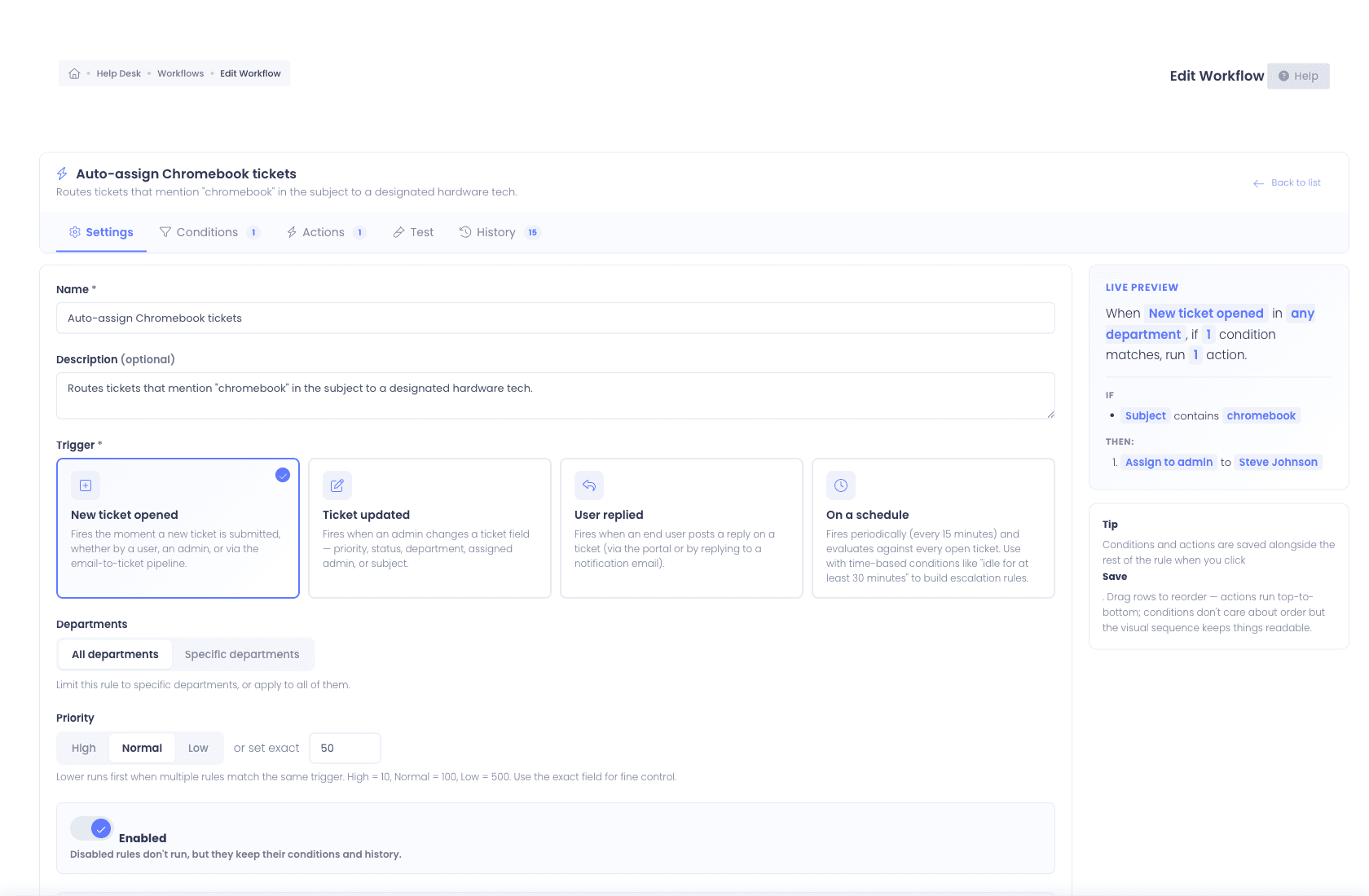
Every way a ticket arrives
Teachers are not going to change how they ask for help.
Some staff use the portal. Some reply to an email thread from last March. Some walk into the office holding the device. A platform that only counts the ones filed properly is measuring its own paperwork rather than your actual workload. Every channel produces the same ticket here, threaded by conversation and searchable from one queue.
- Tickets submitted through the branded self-service portal
- Tickets opened by email, POP3, IMAP, Microsoft 365 (OAuth2), Google Workspace (OAuth2)
- A dedicated inbound email-to-ticket address for every district, replies thread straight back onto the ticket
- Tickets created automatically by workflows from a device check-in or incident
- Tickets opened on behalf of a walk-in user, with an unlisted device identified by asset tag or serial and validated as you type
- Attach photos, diagnostic logs, quotes, or signed forms while working the ticket, not only when it was created
- Merge duplicate tickets into one, behind its own permission, so the same problem reported three ways becomes one thread
- Canned responses let agents insert saved replies to common questions in one click
- Multi-select bulk actions to reassign, restatus, or update many tickets in one pass
- Consent-based Chrome Remote Desktop sessions launched from a ticket, recorded in ticket history
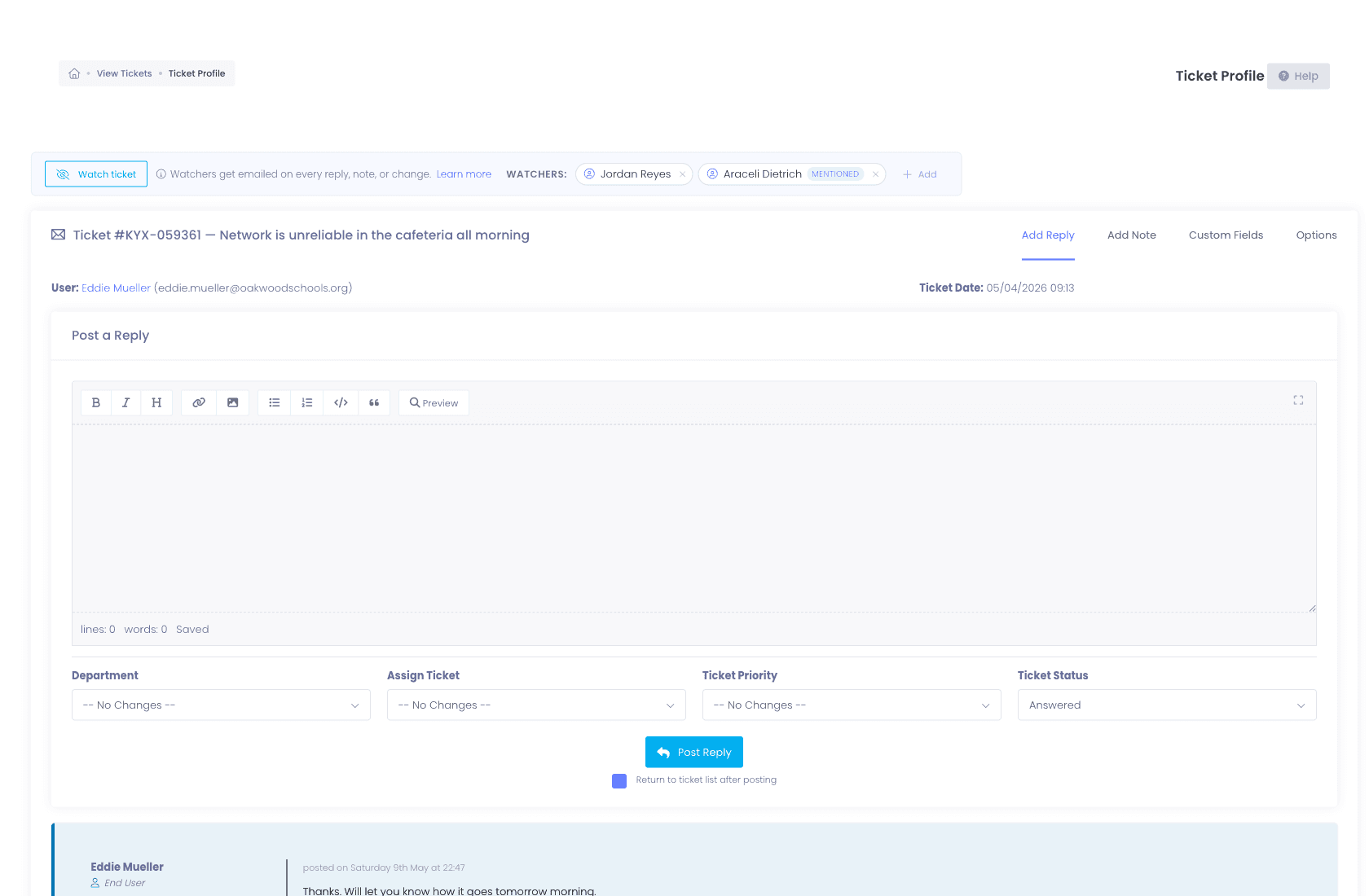
Before any work starts
The device history should already be on the ticket.
A vague ticket costs a technician two lookups before the work even begins: which device is this, and what has already happened to it. Run ticketing and inventory as two products and that stitching never entirely goes away. When a ticket references an asset tag or serial here, the full device record is already on the screen.
- Full checkout history, who has it now, who had it last, when, where
- Damage and incident history, every prior repair, photo, and resolution
- Insurance and warranty status, covered, expired, replacement-eligible
- MDM sync data, last sync, OU placement, enrollment status
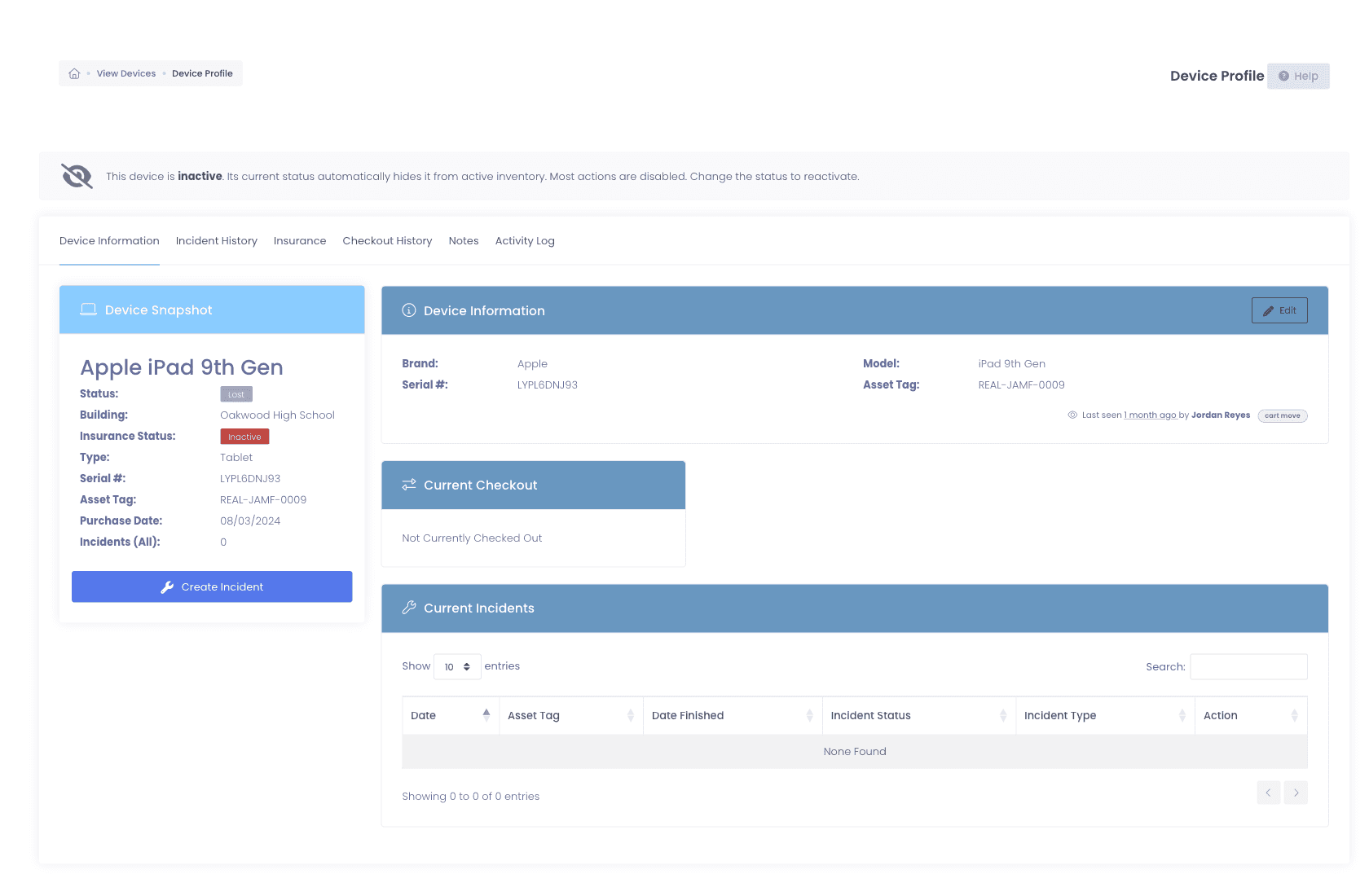
More than one name on it
Some jobs belong to two people. Say so on the ticket.
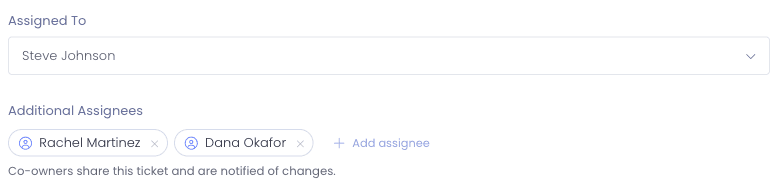
A ticket with one assignee forces a false choice: hand it off entirely, or leave a second tech working something that officially is not theirs. Co-owners fix the first case and watchers fix the second, so a shared job and a second opinion stop looking like the same thing.
- Add co-owners alongside the primary assignee from the ticket’s Options tab, each one a full owner rather than a bystander
- The ticket lands in every co-owner’s Assigned to Me view and counts toward their queue
- Co-owners are notified of replies, notes, and changes exactly like the primary owner
- Promote a co-owner to primary and they move across automatically, so nobody is ever listed twice
- Need someone informed rather than responsible? Add a watcher, they get the same email updates as the assignee
- @mention any admin in a reply or note and they are auto-added as a watcher
- Department-aware suggestions rank the most relevant teammates first
- Internal notes are visible only to staff, never the end user
- Watching a ticket grants view access even when role filters would otherwise hide it
Vacations, conferences, sick days
A tech on vacation shouldn’t mean a queue nobody is reading.
Summer, conferences, sick days. The failure mode is not that tickets stop arriving, it is that they keep arriving in the queue of the one person who is not there. Out of Office closes that gap without anyone having to remember to reassign things on their way out the door.
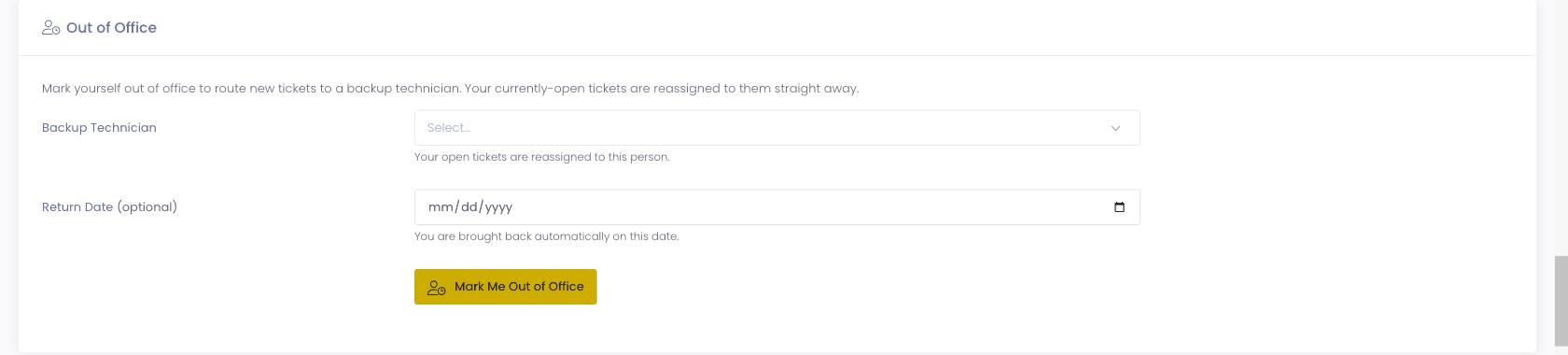
- Mark a technician out from their own profile, or from the Administrators page with the Manage Out of Office permission
- Name a backup and an optional return date
- Their open tickets reassign to the backup immediately, not at the point somebody notices
- New tickets route around them, and they are flagged clearly in every assignee menu
- They rejoin the rotation automatically on the return date, no cleanup task
Minors working the desk
Student workers can staff the desk without their name on it.
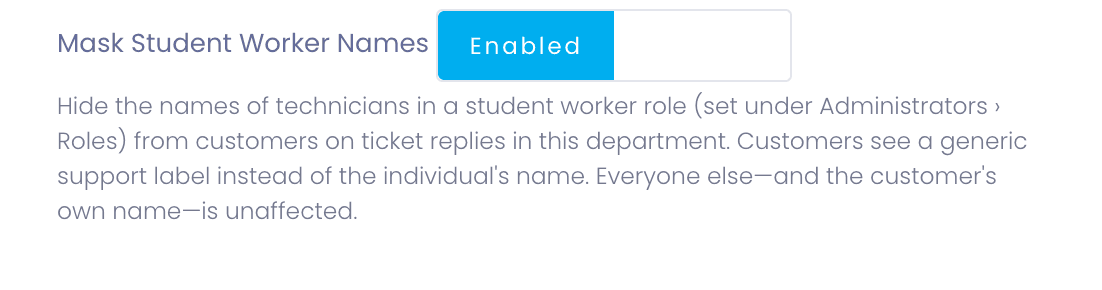
Plenty of districts run a student help desk, and plenty of districts quietly worry about it, on two counts: a student technician replying to a teacher’s ticket puts a minor’s name into staff correspondence, and the same student can end up looking at another family’s balance. Student Worker Mode and role permissions let the program run without either trade-off.
- Flag a role as student technicians, and the protection applies to everyone in it
- Replies go out under a per-department reply name instead of the student’s own name
- Internal notes can be de-identified, so the student assists without being named in the thread
- Turn off View Billing for the role and the insurance, fees, repair credits, and billing history tabs disappear, along with the outstanding-balance banner
- Turn off View Guardians and guardian names and contact details go with them
- The work is still attributed internally, so supervision and credit are intact
The tickets you never receive
The cheapest ticket is the one nobody had to file.
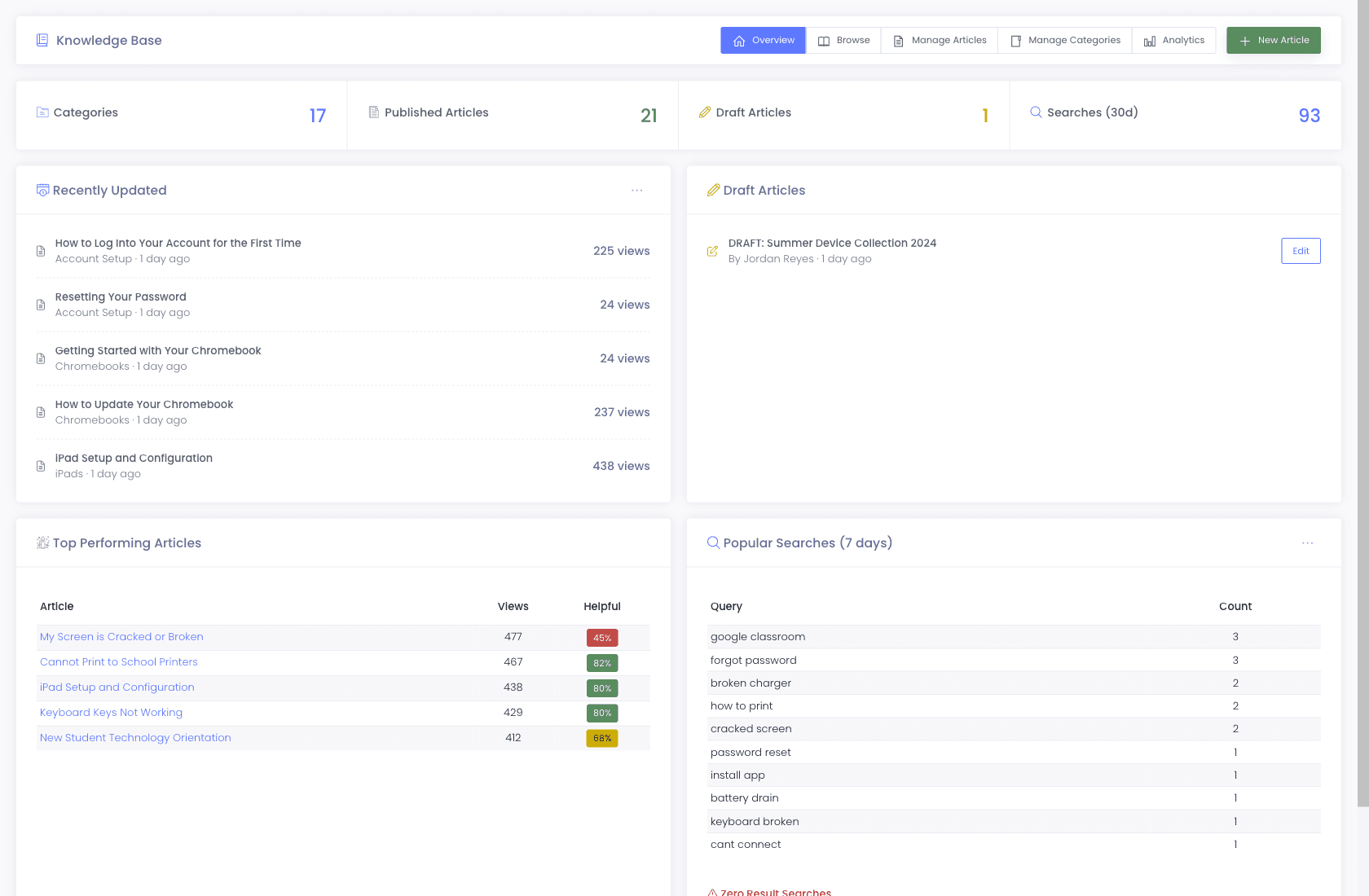
A forgotten password and a projector input are not work your technicians should be doing, but they arrive as tickets anyway because filing one is easier than searching. Every district gets a branded portal with a knowledge base that surfaces the relevant article while someone is still typing their subject line, so the routine questions resolve before they reach your queue.
- KB articles auto-surface as users type a ticket subject
- AI-powered search matches what someone means, so "my laptop won’t charge" finds the battery article even when the wording differs
- Helpful / not-helpful ratings show which articles are actually deflecting
- Per-district branding, SSO via Google, Microsoft 365, or ClassLink
When the superintendent asks
Answer the staffing question with a number.
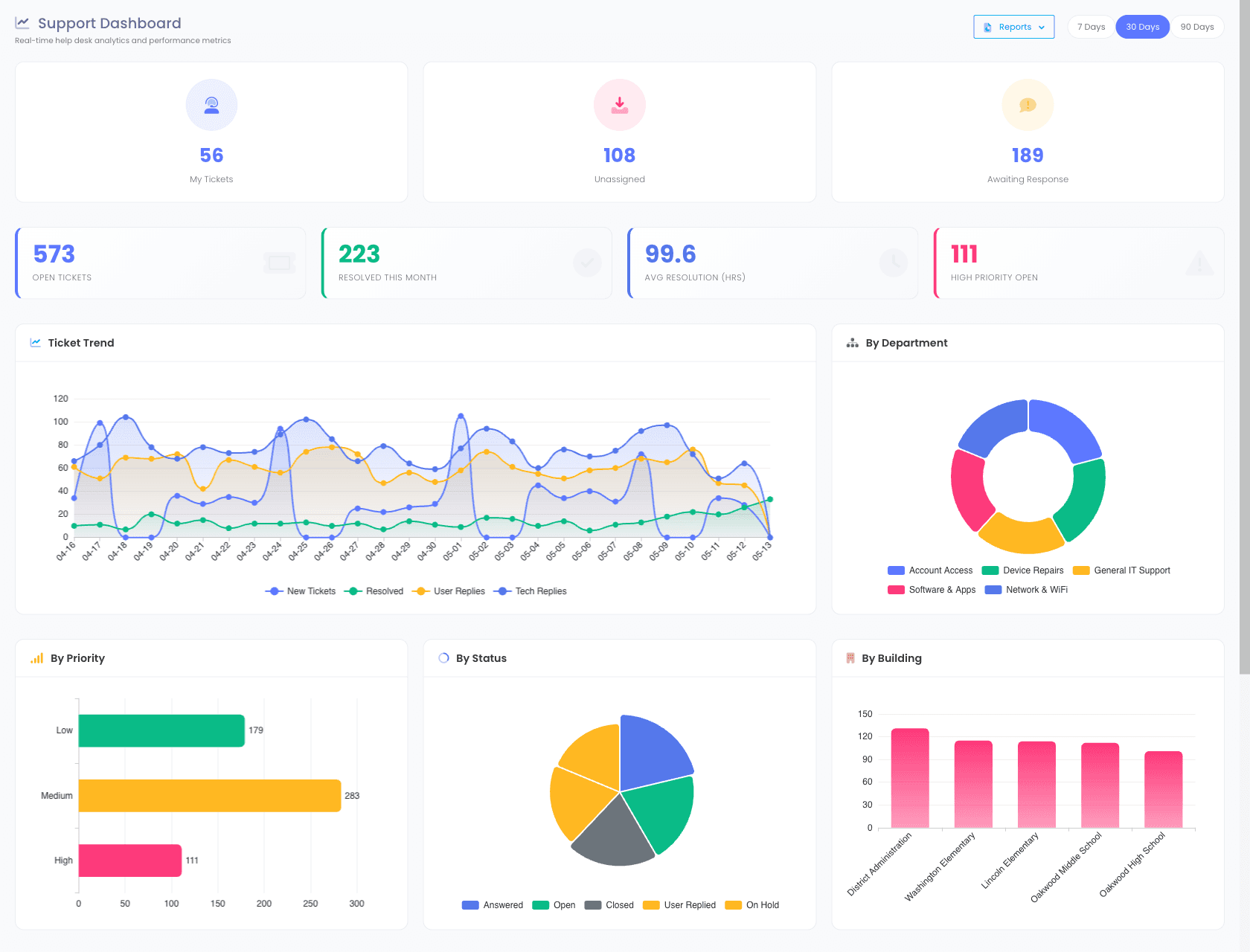
Sooner or later someone asks whether the team needs another technician, or why a building thinks support is slow. Answering from memory never goes well. The dashboard opens on the numbers that settle it: volume by building, resolution time trended, and who is carrying what.
- Open ticket counts by department, priority, and assignee
- Average resolution time, trended over the last 30 / 90 / 365 days
- Technician performance, tickets resolved, response time, first-touch resolution
- Post-resolution satisfaction surveys, opt-in per department, rolled up so you can see how the desk is actually performing
- Time logged on tickets, reported by technician and by team, for workload and cost recovery
- Ticket volume by source, portal vs. email vs. workflow-generated
- Group ticket volume by any custom field your techs fill in, like damage type
- CSV export for board reports and grant accountability
- Automation Status Dashboard surfaces every scheduled job with a 30-day heatmap
Why schools choose Manage1to1
Built for K-12. Not retrofitted from enterprise IT.
Built for K-12, not retrofitted
We do not sell to banks or hospitals. Every feature exists because a school IT director asked for it.
One platform, not a Frankenstein
Help desk, asset management, incident tracking, invoicing, and MDM integration, one login.
Automation without a consultant
Workflows ships as a self-service feature. You build the routing rules, no support ticket required.
Lower price, not a lighter product
Published per-student pricing with the whole platform on every tier. It costs less because there are no modules, commissions or investor to pay for, not because there is less in it.
Still comparing
Comparing us against IncidentIQ or One to One Plus?
Districts shopping for a school help desk are usually holding a quote from one of them already. Our pricing is published rather than gated behind a sales call, and we have written up how we differ from each without pretending they are bad products.
FAQ
Common questions.
- A generic ticketing system models a request: somebody reports a problem, an agent resolves it, the ticket closes. Help desk software for schools has to model a request attached to a device attached to a student, because in a district those three are inseparable. One cracked screen is simultaneously a ticket, a device record, a damage incident, and usually a family invoice, and a corporate ITSM tool treats those as four unrelated objects in four different places. The second difference is the calendar. Helpdesk software for schools has to survive August, when a thousand tickets arrive in a fortnight, and June, when every device comes back at once. Tools designed for a steady year-round corporate load are not built around that shape, which is why so many districts outgrow them in the first year.
- The automation worth having covers four moments. Routing, so an arriving ticket reaches the right technician without a person reading and assigning it. Scheduled work, so annual refresh and summer maintenance open as real tickets on a cadence instead of depending on memory. Condition-driven creation, so a device sitting offline for weeks raises its own ticket. And absence, so a technician going on leave reassigns their open queue and drops out of the rotation automatically rather than accumulating tickets nobody is reading. We build all four in the browser with a visual condition builder, no consultant and no professional services line on the quote.
- K-12 help desk software is a ticketing system designed specifically for school IT teams. Unlike generic ITSM tools built for corporate IT, K-12 help desk software accounts for student-facing workflows, parent portals, 1:1 device programs, and the seasonal cycle of school operations. Our platform combines ticketing with device inventory, incident tracking, and MDM integration in one system.
- Yes. Both Google Workspace and Microsoft 365 connect via OAuth2 for inbound email-to-ticket creation, outbound notifications, and admin single sign-on. There is no app-password workaround and no third-party email relay required.
- Yes. Help-desk departments nest into sub-departments (for example, IT → Networking → Wireless), and each department or sub-department carries an audience setting, Students, Staff, Everyone, or Admin Only, that controls who sees it in the support portal. Admins and technicians can be assigned to one or more sub-departments, so a single ticket queue mirrors how your district actually runs.
- Yes. Every district gets a branded self-service portal where students, staff, and parents can submit tickets, track status, and search the knowledge base. The portal is mobile-responsive and supports SSO via Google, Microsoft 365, or ClassLink.
- Manage1to1's Workflows engine lets you build routing rules in a visual builder. Match on building, room, department, ticket type, custom fields, time of day, day of week, or any combination. Then chain actions: assign, escalate, notify, watch, status-change, or wait-and-chain. Every workflow runs against a test runner before activation and produces a full run history afterward.
- Yes. A technician can launch a consent-based Chrome Remote Desktop session directly from a ticket, so a student or teacher gets hands-on help without a truck roll or a separate remote-support tool. The session requires the user to approve access and is recorded in the ticket history for a full audit trail.
- Mark them out of office, pick a backup, and optionally set a return date. Their open tickets reassign to the backup right away, new tickets route around them, and they show as out of office in the assignee menus so nobody hands them work by habit. On the return date they rejoin the rotation automatically. The point is that coverage does not depend on someone remembering to reassign a queue on their last afternoon before break.
- Yes, that is what Student Worker Mode is for. Flag a role as student technicians and their replies go out under a per-department reply name rather than the student’s own name, with internal notes able to be de-identified as well. The work is still attributed internally so you can supervise and give credit. Districts running a student help desk get the labor without putting a minor’s name into staff-facing correspondence.
- Yes. The technician in Assigned To stays the primary owner and main point of contact, and you add co-owners alongside them from the ticket’s Options tab. A co-owner is a full owner, not an observer: the ticket shows up in their Assigned to Me view, counts toward their queue, and they are notified of replies, notes, and changes exactly like the primary. Remove one at any time, and promoting a co-owner to primary moves them across automatically so nobody is ever listed twice. If someone only needs to stay informed rather than share the work, add them as a watcher instead.
- Yes. The same broken projector reported by a teacher, a building secretary, and an email to the shared inbox becomes one ticket instead of three techs picking up three copies. Merging is gated behind its own permission so it is not something any agent can do casually, and it is available through the API as well for districts consolidating from another system.
- Yes, automatically. When a ticket references an asset tag or serial number, the linked device profile (with full checkout history, incidents, repair logs, insurance status, and MDM sync data) is visible from the ticket. No manual cross-referencing.
- Yes. We built the platform for 1:1 device programs, including Chromebook-heavy districts. We integrate with Google Workspace for device sync, support parent-portal incident reporting, and tie every help-desk ticket to the affected Chromebook's checkout and damage history.
See what fits your district
Replace inbox chaos with the help desk built for school IT.
Tell us about your district, student count, current help-desk tool, and which integrations you need. We will reply with a quote, a migration plan, and an honest read on what the help desk does and doesn’t do. Our entire team is former K-12, we will not pitch features that are not real.
- Quote tailored to your enrollment + SLA tier
- Migration plan from your current help-desk / asset tool
- Integration map for your MDM, SIS, and payment processor
- Honest answers, our team is all former K-12, we know what the product does and doesn’t do
Prefer the shared demo first? Try it at manage1to1.com/demo.