
Help desk software for K-12 schools, with tickets that route themselves.
Help desk software for K-12 schools with built-in routing workflows, device-aware ticketing, and a branded self-service portal. Tickets arrive from email or the portal and land on the right tech's queue automatically, no phone-tag, no triage meetings.
Routing Workflows
Automate the busy-work, not your team.
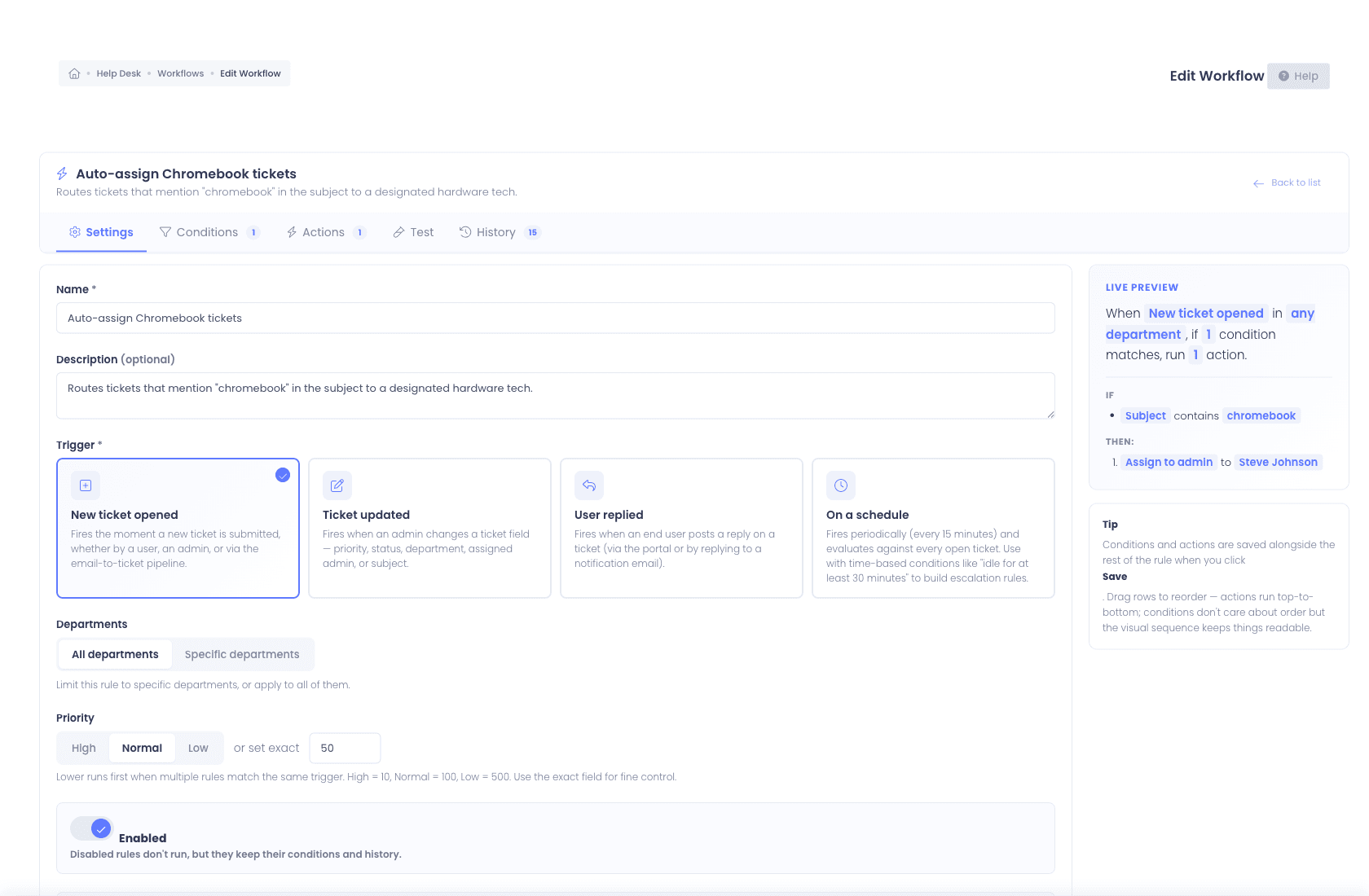
Workflows lets your help desk encode the routing logic it actually uses, visually, in the browser, without a consultant. Match on the conditions that matter, then chain actions that fire automatically the moment a ticket arrives or changes.
- Visual condition builder with nested AND / OR groups
- Assign, escalate, watch, status-change, notify, internal-note, wait-and-chain actions
- Round-robin assignment with per-admin vacation opt-out
- Route into nested sub-departments (IT → Networking → Wireless), each scoped to Students, Staff, Everyone, or Admin Only
- Business-hours and holiday calendars per district
- Time-based triggers for unanswered, stale, or unresolved tickets
- Test runner, preview any rule against a real ticket before activating
- Run history with success / skipped / failed audit
Unified ticketing
Tickets from email, the portal, or anywhere.
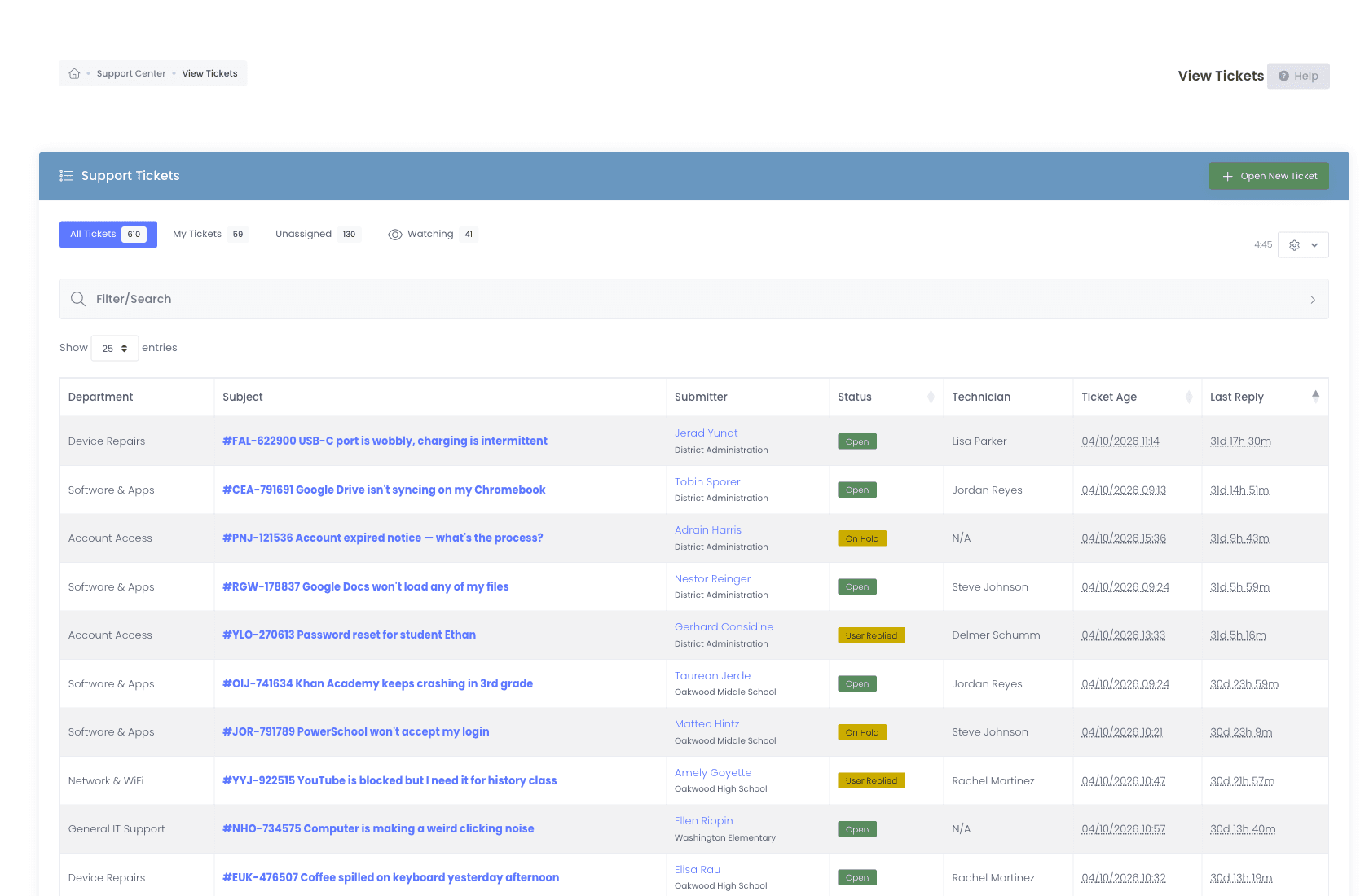
Every K-12 help desk software platform claims unified ticketing. Here is what we actually unify: every channel produces the same ticket object, threaded by conversation, searchable from one queue.
- Tickets submitted through the branded self-service portal
- Tickets opened by email, POP3, IMAP, Microsoft 365 (OAuth2), Google Workspace (OAuth2)
- A dedicated inbound email-to-ticket address for every district, replies thread straight back onto the ticket
- Tickets created automatically by workflows from a device check-in or incident
- Tickets opened by a technician on behalf of a walk-in user
- Multi-select bulk actions to reassign, restatus, or update many tickets in one pass
- Consent-based Chrome Remote Desktop sessions launched from a ticket, recorded in ticket history
Device-aware tickets
Every ticket. Linked to the device. Automatically.
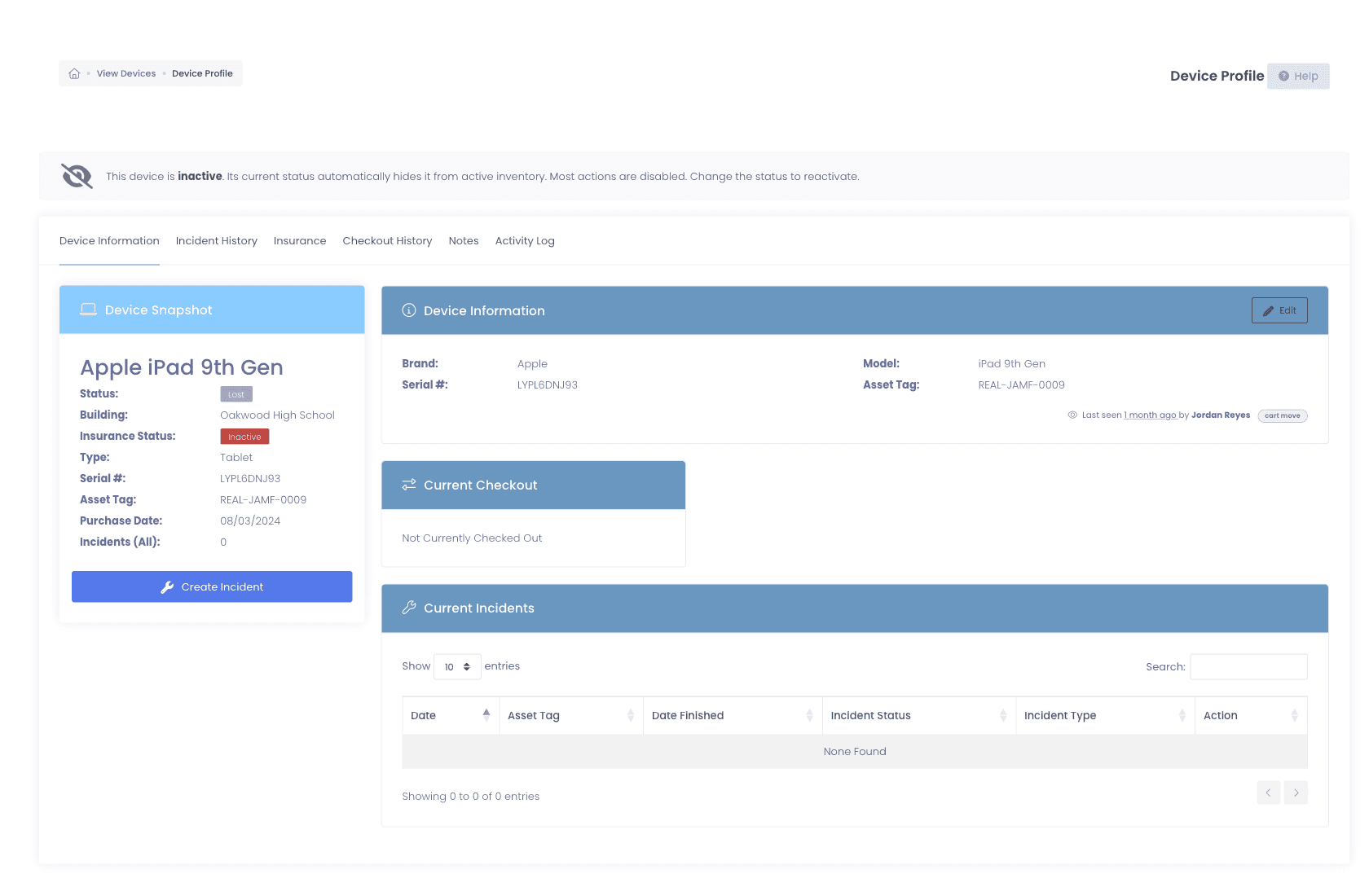
Other K-12 help desk software makes you ticket and inventory separately, then stitches them together with custom fields. We built one system. When a ticket references an asset tag or serial, you instantly see the full device record, without leaving the ticket.
- Full checkout history, who has it now, who had it last, when, where
- Damage and incident history, every prior repair, photo, and resolution
- Insurance and warranty status, covered, expired, replacement-eligible
- MDM sync data, last sync, OU placement, enrollment status
Watchers + collaboration
Loop colleagues in without reassigning.
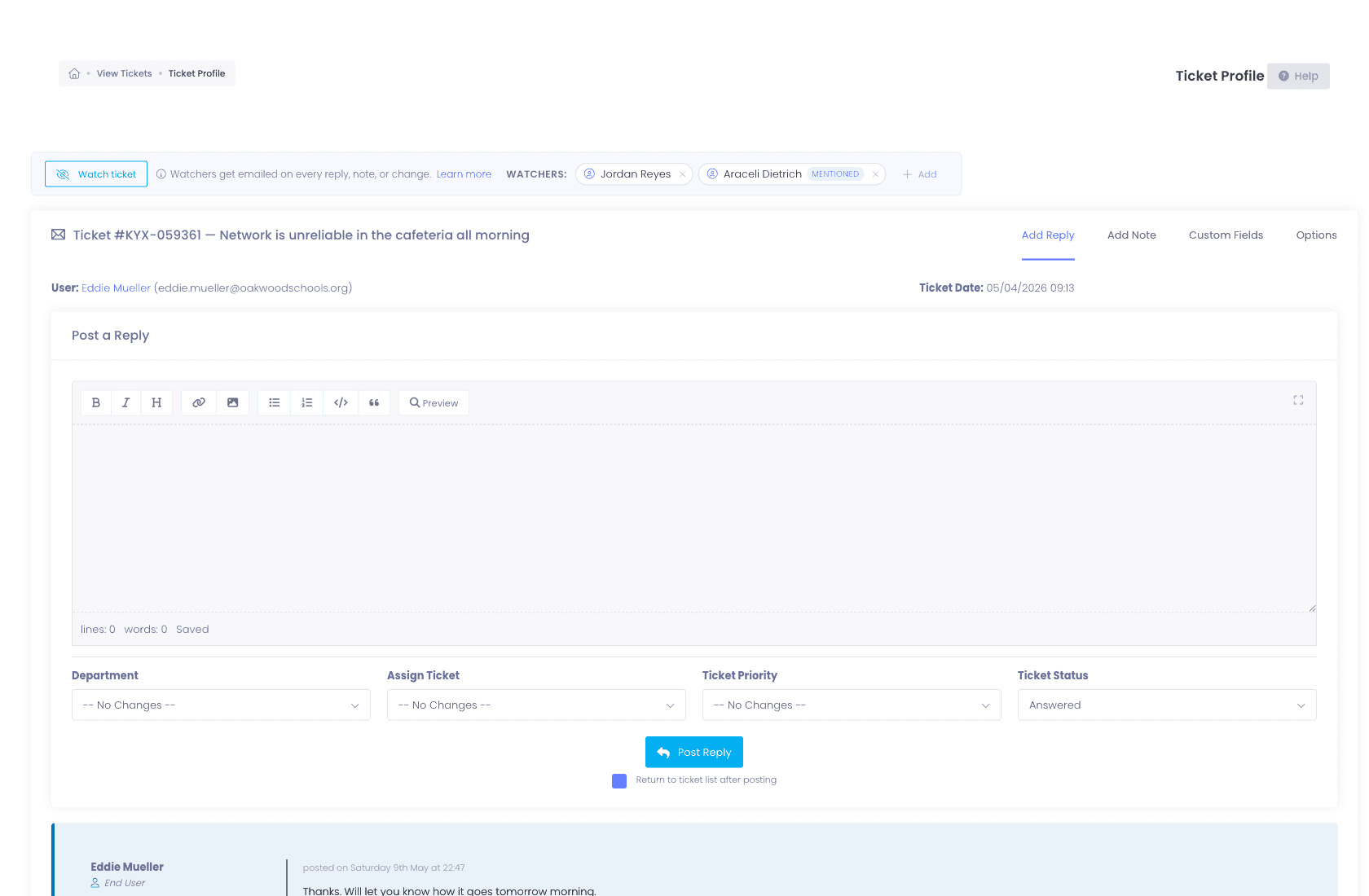
Every help desk has the moment when a tech needs another set of eyes on a ticket, a building admin, a network lead, a vendor liaison, but not the whole responsibility. Watchers handle that without disturbing ownership.
- Add anyone as a watcher, they get the same email updates as the assignee
- @mention any admin in a reply or note and they are auto-added as a watcher
- Department-aware suggestions rank the most relevant teammates first
- Internal notes are visible only to staff, never the end user
- Watching a ticket grants view access even when role filters would otherwise hide it
Self-service portal
A portal that deflects as many tickets as it captures.
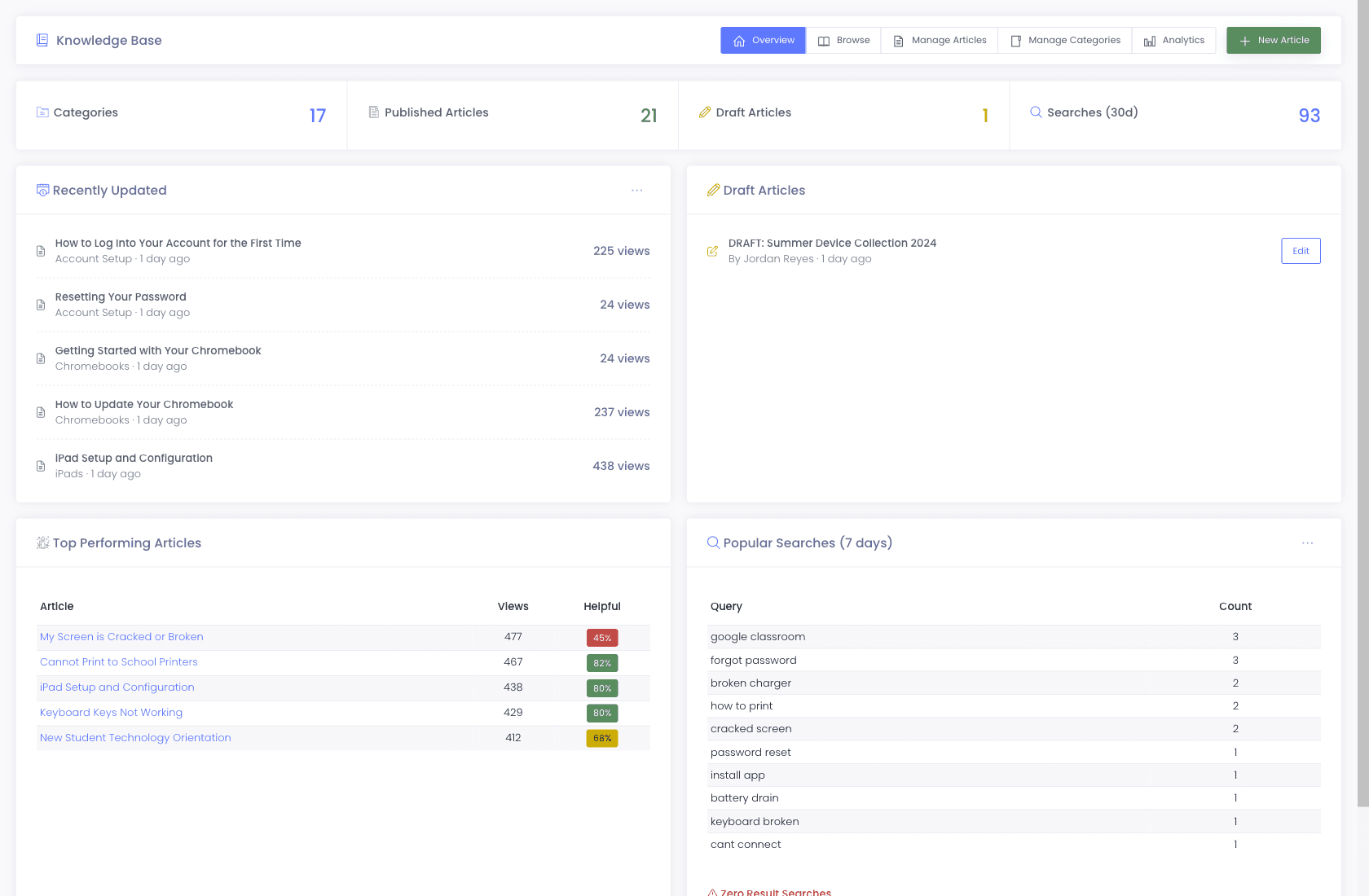
Every district running our platform gets a branded Self-Service Portal with a built-in knowledge base. The KB surfaces articles during ticket submission, so users solve common issues themselves before a ticket ever lands in your queue.
- KB articles auto-surface as users type a ticket subject
- Helpful / not-helpful ratings show which articles are actually deflecting
- Per-district branding, SSO via Google, Microsoft 365, or ClassLink
Dashboard + reporting
Metrics your IT director and superintendent will actually read.
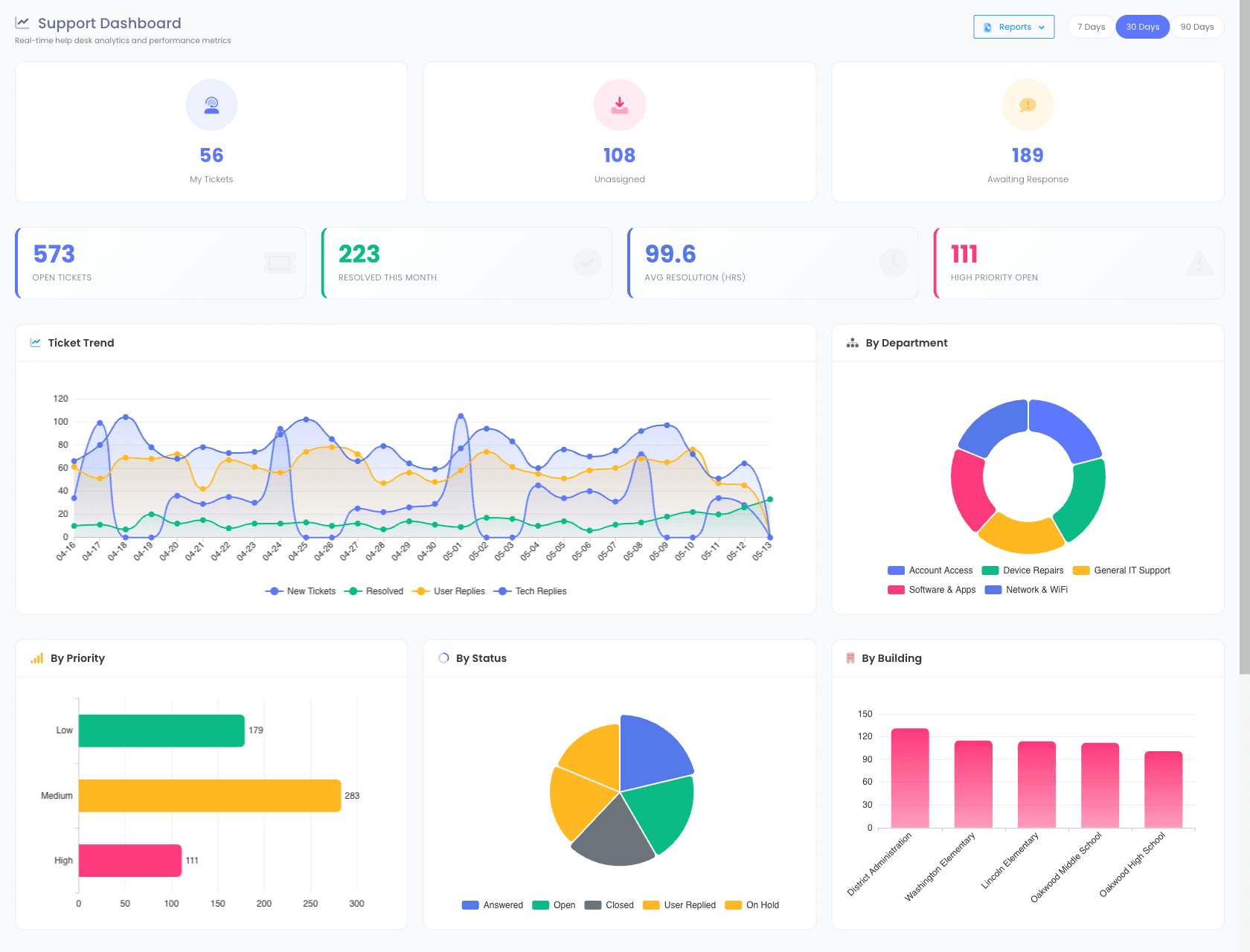
A K-12 help desk software platform without reporting is a black box. Our dashboard gives you the metrics that matter, on the page that opens when you sign in.
- Open ticket counts by department, priority, and assignee
- Average resolution time, trended over the last 30 / 90 / 365 days
- Technician performance, tickets resolved, response time, first-touch resolution
- Ticket volume by source, portal vs. email vs. workflow-generated
- Group ticket volume by any custom field your techs fill in, like damage type
- CSV export for board reports and grant accountability
- Automation Status Dashboard surfaces every scheduled job with a 30-day heatmap
Why schools choose Manage1to1
Built for K-12. Not retrofitted from enterprise IT.
Built for K-12, not retrofitted
We do not sell to banks or hospitals. Every feature exists because a school IT director asked for it.
One platform, not a Frankenstein
Help desk, asset management, incident tracking, invoicing, and MDM integration, one login.
Automation without a consultant
Workflows ships as a self-service feature. You build the routing rules, no support ticket required.
Pricing that fits a district budget
Transparent per-student pricing. No enterprise sales gate. No "talk to sales for a quote."
FAQ
Common questions.
- K-12 help desk software is a ticketing system designed specifically for school IT teams. Unlike generic ITSM tools built for corporate IT, K-12 help desk software accounts for student-facing workflows, parent portals, 1:1 device programs, and the seasonal cycle of school operations. Our platform combines ticketing with device inventory, incident tracking, and MDM integration in one system.
- Yes. Both Google Workspace and Microsoft 365 connect via OAuth2 for inbound email-to-ticket creation, outbound notifications, and admin single sign-on. There is no app-password workaround and no third-party email relay required.
- Yes. Help-desk departments nest into sub-departments (for example, IT → Networking → Wireless), and each department or sub-department carries an audience setting, Students, Staff, Everyone, or Admin Only, that controls who sees it in the support portal. Admins and technicians can be assigned to one or more sub-departments, so a single ticket queue mirrors how your district actually runs.
- Yes. Every district gets a branded self-service portal where students, staff, and parents can submit tickets, track status, and search the knowledge base. The portal is mobile-responsive and supports SSO via Google, Microsoft 365, or ClassLink.
- Manage1to1's Workflows engine lets you build routing rules in a visual builder. Match on building, room, department, ticket type, custom fields, time of day, day of week, or any combination. Then chain actions: assign, escalate, notify, watch, status-change, or wait-and-chain. Every workflow runs against a test runner before activation and produces a full run history afterward.
- Yes, automatically. When a ticket references an asset tag or serial number, the linked device profile (with full checkout history, incidents, repair logs, insurance status, and MDM sync data) is visible from the ticket. No manual cross-referencing.
- Yes. We built the platform for 1:1 device programs, including Chromebook-heavy districts. We integrate with Google Workspace for device sync, support parent-portal incident reporting, and tie every help-desk ticket to the affected Chromebook's checkout and damage history.
See what fits your district
Replace inbox chaos with the help desk built for school IT.
Tell us about your district, student count, current help-desk tool, and which integrations you need. We will reply with a quote, a migration plan, and an honest read on what the help desk does and doesn’t do. Our entire team is former K-12, we will not pitch features that are not real.
- Quote tailored to your enrollment + SLA tier
- Migration plan from your current help-desk / asset tool
- Integration map for your MDM, SIS, and payment processor
- Honest answers — our team is all former K-12, we know what the product does and doesn’t do
Prefer the shared demo first? Try it at manage1to1.com/demo.